
Template Documents
The Template Editor shows templates and generated code in document windows. There are two kinds:
- A template document is where you edit a template.
- A generated document shows the code generated from a template.
You can have several documents open at once. To switch between them, click a document's tab at the top of its window.
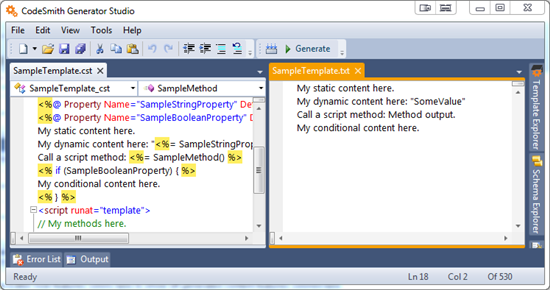
In the screenshot above, a template document is on the left and a generated document is on the right.
Template document
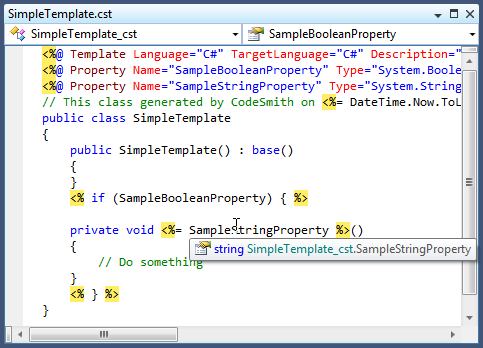
The template document is the Template Editor's editing surface. It contains the template's source code and gives you all of the editor features, such as statement completion and outlining.
Generated document
A generated document shows the code produced by combining the template with the property values you entered in the Properties window. It opens after you generate the template.
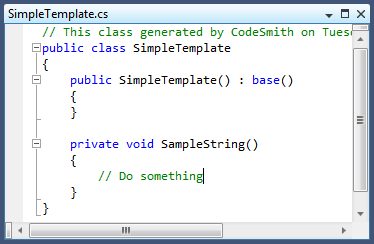
To see how your settings affect the output, change values in the Properties window and click Generate again. The generated document updates with the new output.
Note
No generated document is shown if the template's OutputType attribute on the CodeTemplate directive is set to None.