
Using the Template Editor
The CodeSmith Generator Template Editor is a complete development environment for templates. You use it to edit, build and run templates, and it includes features that make writing and debugging templates easier, such as statement completion, Go To Definition and outlining.
The Template Editor is built into Visual Studio. It's also available as a standalone application, CodeSmith Generator Studio (TemplateEditor.exe). Like the Visual Studio integration, Generator Studio isn't part of Generator Server.
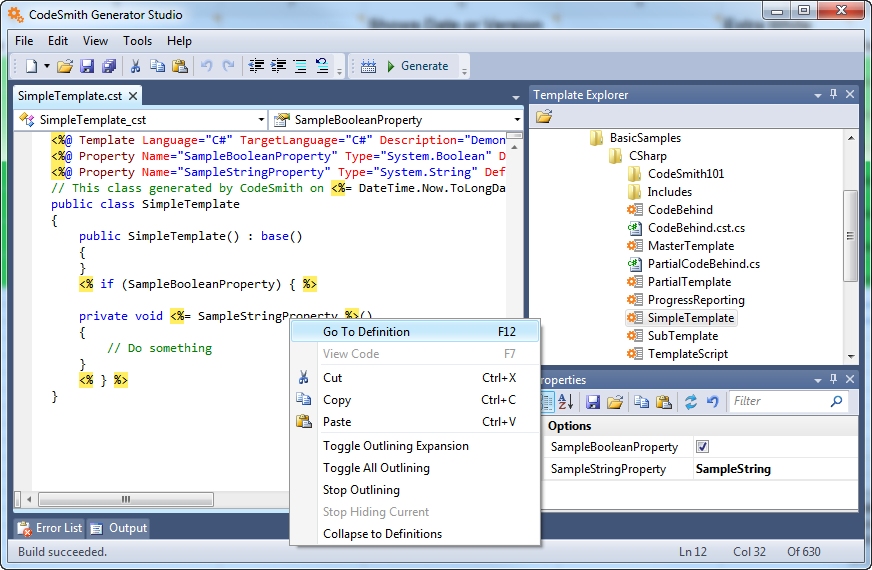
The Template Editor can do everything Template Explorer can, and more. When you just want to execute templates and generate code, Template Explorer is usually quicker. When you're actively developing templates, use the Template Editor.
In this section
- Template Editor user interface: the toolbar, document windows, Properties window, Output window and Error List.
- Template Editor features: statement completion, navigation, find and replace, outlining, keyboard shortcuts and more.
- Building, running and compiling templates: build and run a template, or compile it into an assembly.
- Customizing CodeSmith Generator: change Generator's settings in the Options dialog.