
StringCollection
Warning
StringCollection is obsolete. In new templates, use a generic list instead:
<%@ Property Name="List" Type="System.Collections.Generic.List<String>" Category="Custom" Description="This is the list." %>
The StringCollection type lets users enter a list of strings, which you can then use like an array in your template. It's still supported, so existing templates that use it keep working.
To use it, reference the CodeSmith.CustomProperties assembly in your template:
<%@ Assembly Name="CodeSmith.CustomProperties" %>
Then declare a property of that type:
<%@ Property Name="List" Type="CodeSmith.CustomProperties.StringCollection" Category="Custom" Description="This is the list." %>
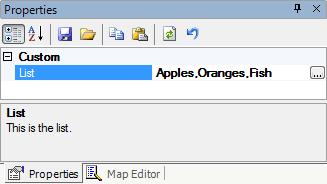
When the user runs the template, the property shows a builder (…) button in the property grid:
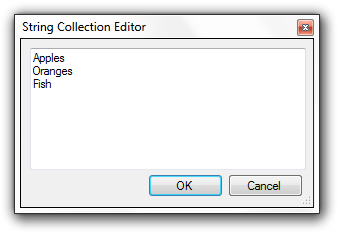
Clicking the button opens an editor where the user types each string on its own line:
Tip
You can also edit the collection directly in the property grid, as a comma-separated list.
In your template, loop through the collection like an array:
The list is:
<% for (int i = 0; i < List.Count; i++) { %>
<%= List[i] %>
<% } %>