
Customizing CodeSmith Generator
You configure all of CodeSmith Generator's settings in the Options dialog. For example, you can reset file associations or change the location of the samples folder.
Opening the Options dialog
Do one of the following:
- Open it from the Generator menu.
- Run
csconfig.exefrom the Generator program folder (C:\Program Files (x86)\CodeSmith\v8.5).
Changing settings
The settings are grouped into sections, which are listed as nodes on the left of the dialog, such as Engine, General, File Associations and Schema Provider.
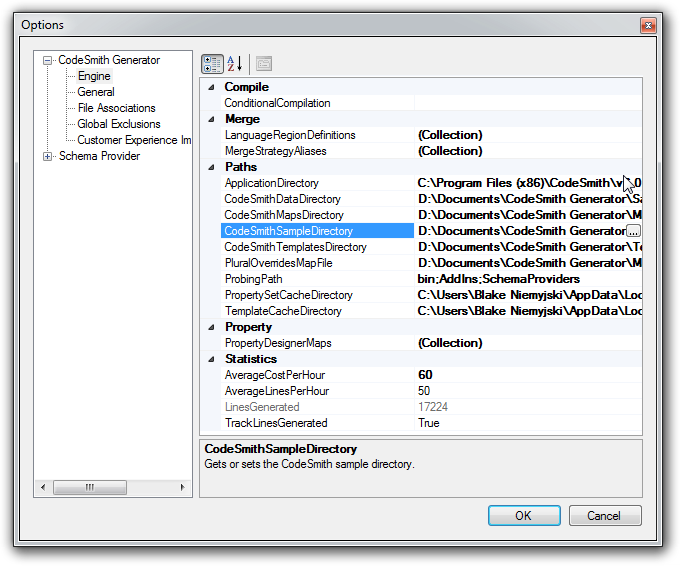
In the screenshot above, the Engine node is selected. Here you can change settings such as the location of the samples folder (CodeSmithSampleDirectory).
When you're done, click OK to apply your changes, or Cancel to discard them.
Note
You may need to restart Generator for some changes to take effect.
Warning
Some settings are saved as soon as you change them, and aren't rolled back when you click Cancel.