
Project Options
The Project Options dialog sets project-wide behavior for a CodeSmith Generator project, such as the default template, single-file or multiple-file output, default properties and variables.
To open it, click Project Options on the Manage Outputs toolbar (highlighted in green below).

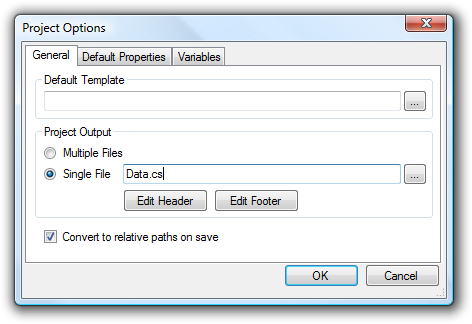
Project output
Choose whether each template controls its own output (Multiple Files), or all of the templates' output is merged into a Single File. With single-file output, you can also add a header and footer to the file.
Default properties
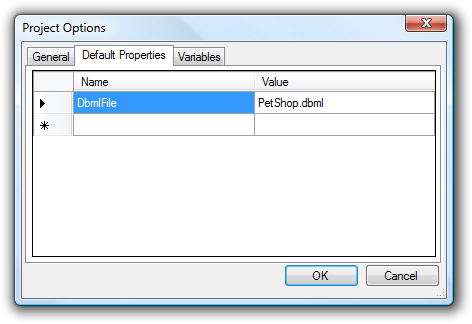
Default properties are available to every template in the project. They're useful for values that rarely change, such as a namespace.
Variables
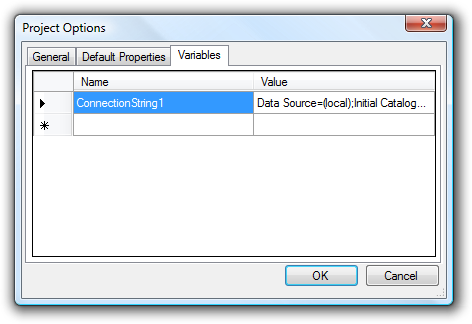
Variables let you keep a shared value, such as a connection string, in one place and use it in any property set.
When you save a project in the Manage Outputs dialog, Generator automatically creates a variable for each unique connection string in the project. This makes it easy to update the connection string in complex projects.
How variables are used
When you edit variables in the Project Options dialog, Generator puts them into the property sets when it saves the project: it finds every value that matches a variable's value and replaces it with the variable's name. When it loads the project, it does the reverse and replaces each variable name with its value.
You can also add variables to a project file by hand. Write a variable as its name inside $(), for example $(ConnectionString1).
Sample project file
<?xml version="1.0"?>
<codeSmith xmlns="http://www.codesmithtools.com/schema/csp.xsd">
    <singleOutput enabled="true" path="Data.cs" />
    <variables>
        <add key="ConnectionString1" value="Data Source=(local);Initial Catalog=PetShop;Integrated Security=True" />
        <add key="ProviderType" value="SchemaExplorer.SqlSchemaProvider,SchemaExplorer.SqlSchemaProvider" />
    </variables>
    <defaultProperties>
        <property name="DbmlFile">PetShop.dbml</property>
    </defaultProperties>
    <propertySets>
        <propertySet name="Dbml" template="CSharp\Dbml.cst">
           <property name="IncludeViews">False</property>
           <property name="IncludeFunctions">False</property>
           <property name="EntityBase">LinqEntityBase</property>
           <property name="DisableRenaming">False</property>
           <property name="SourceDatabase">
                <connectionString>$(ConnectionString1)</connectionString>
                <providerType>$(ProviderType)</providerType>
            </property>
            <property name="EntityNamespace">PetShop.Data</property>
            <property name="ContextNamespace">PetShop.Data</property>
        </propertySet>
        <propertySet name="Entities" template="CSharp\Entities.cst">
            <property name="IncludeDataContract">True</property>
            <property name="OutputDirectory">PetShop\PetShop.Data</property>
        </propertySet>
    </propertySets>
</codeSmith>