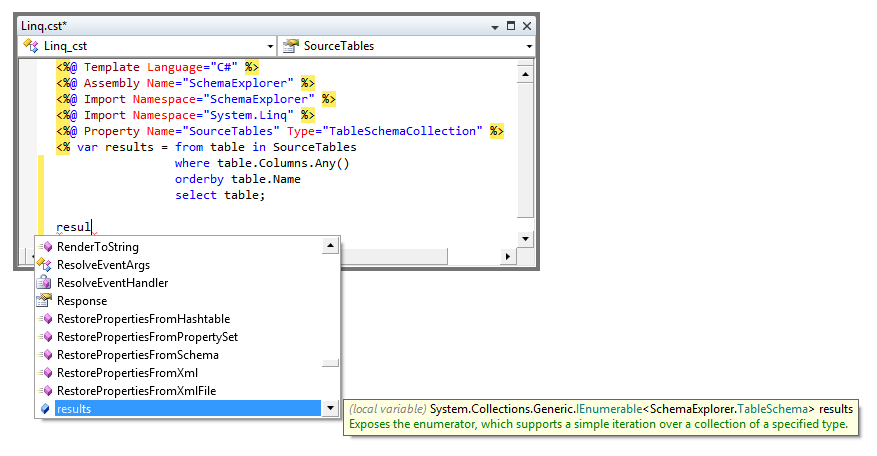
Statement Completion
Statement completion works like IntelliSense in Visual Studio: as you type, the Template Editor suggests identifier names.
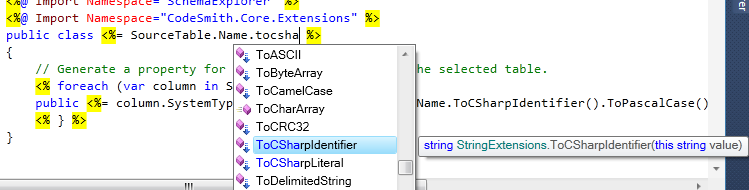
The list of identifiers appears as soon as you type a period after an object name. To choose an identifier, do one of the following:
- Click it.
- Select it with the arrow keys.
- Type enough letters to identify it, then type a space or another separator character.
Tip
Press Ctrl+Space to open the completion list at any time inside a code block.
Note
Statement completion uses reflection to gather its information, so your template must compile for types defined in the template to appear in the lists. Types defined in external assemblies appear whether or not the template compiles.
Code-behind files
Statement completion is also available in C# and Visual Basic code-behind files. To control which assembly references are used for code-behind statement completion, use the References tool window. Open it by selecting Tools > Manage References.
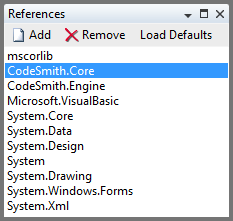
Note
Statement completion in code-behind files is available only in the standalone Template Editor.
Quick info
When you point at a word such as an identifier, a quick info tip shows details about the related type, member or variable.

Parameter info
When you type a method call, a parameter info tip shows details about the method and highlights the argument you're typing. In the screenshot below, the current parameter, seed, is shown in bold.
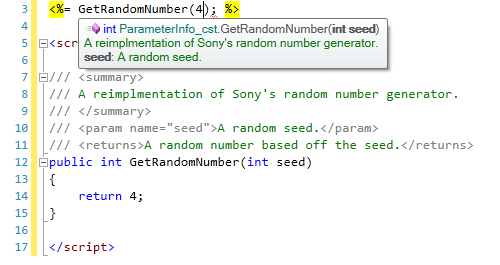
If the method has several overloads, the tip shows arrows. Click the arrows, or press the Up and Down arrow keys, to switch between the overloads.
Anonymous types
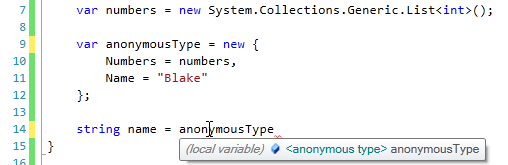
Statement completion understands anonymous types. In this example, the variable anonymousType is declared as an anonymous type whose properties are set from a variable (numbers) and a string constant ("Blake"). Pointing at anonymousType shows quick info that identifies it as an anonymous type.
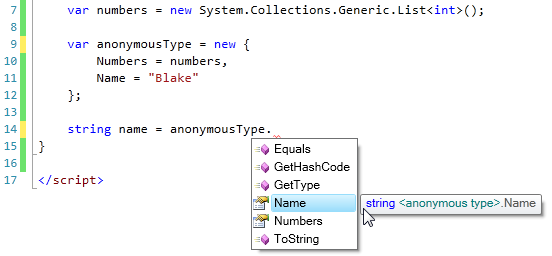
Typing a period after the variable lists its members, including the two properties declared in the anonymous type, Numbers and Name, with their types.
LINQ
Statement completion also works in LINQ query expressions, as this example shows.
-
Start a new query expression. The
SourceTablesproperty shows up as aTableSchemaCollection.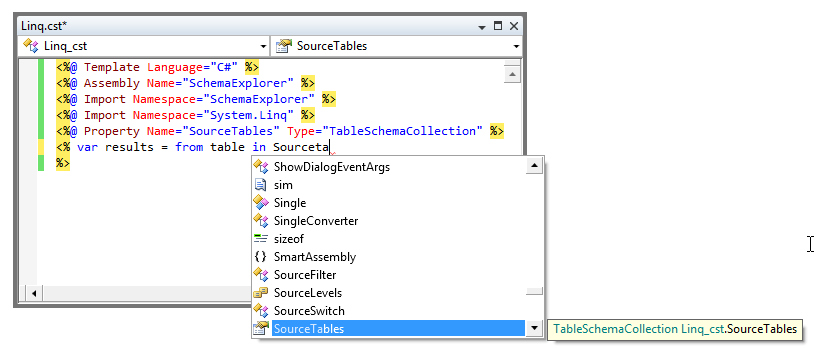
-
Start a
whereclause. Thetablerange variable is aTableSchema, so typing a period lists members such asColumnsandDatabase.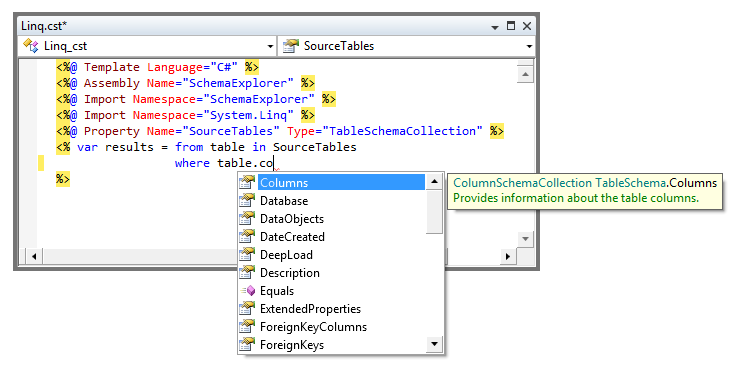
-
Type a period after
Columns. The list includes all of theEnumerableextension methods.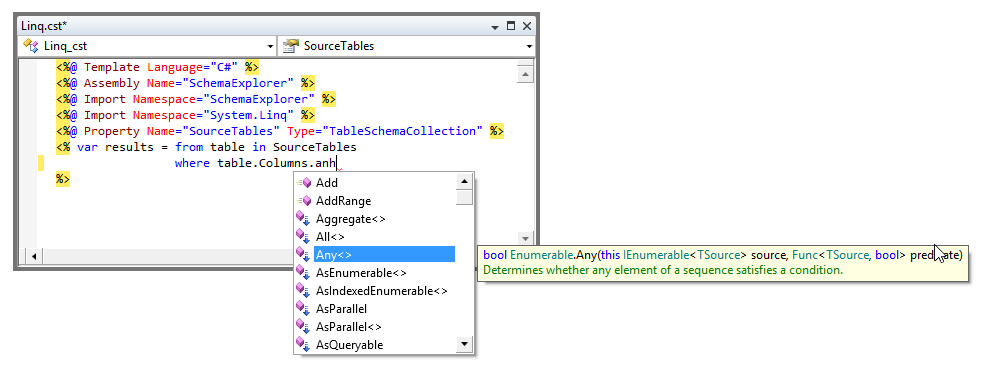
-
Add an
orderbyclause, then end the expression with aselectclause.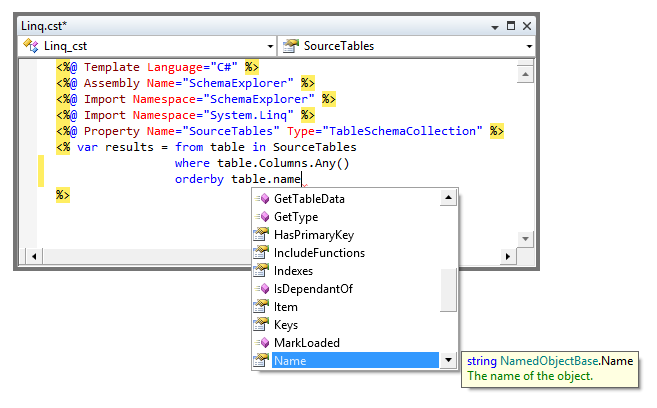
-
On the next line, press Ctrl+Space. The
resultsvariable in the list shows the query's result type,IEnumerable<TableSchema>.