Choosing objects
Besides databases, SchemaExplorer includes editors for four kinds of database objects: tables, views, commands and columns. Use them when users need to pick one object, or a set of objects, as template metadata.
For each kind there's a single-object type and a collection type:
| Property type | User selects |
|---|---|
TableSchema / TableSchemaCollection |
One table / several tables |
ViewSchema / ViewSchemaCollection |
One view / several views |
CommandSchema / CommandSchemaCollection |
One command (stored procedure) / several commands |
ColumnSchema / ColumnSchemaCollection |
One column / several columns |
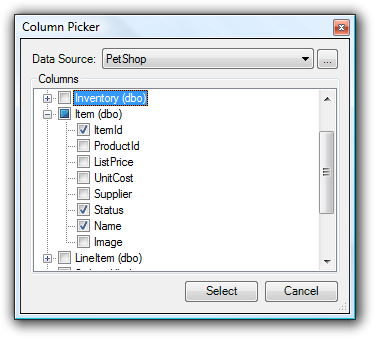
The picker opens when the user clicks the builder button (...) for the property in the property grid. With a single-object type, the user selects one object. With a table, view or command collection, the user selects several with Ctrl+click and Shift+click; with a column collection, the user checks the columns they want.
Tables
TableSchema lets the user select a single table:
<%@ Property Name="SourceTable" Type="SchemaExplorer.TableSchema" Category="Database" Description="Select a table." %>
TableSchemaCollection lets the user select a group of tables:
<%@ Property Name="SourceTables" Type="SchemaExplorer.TableSchemaCollection" Category="Database" Description="Select a set of tables." %>
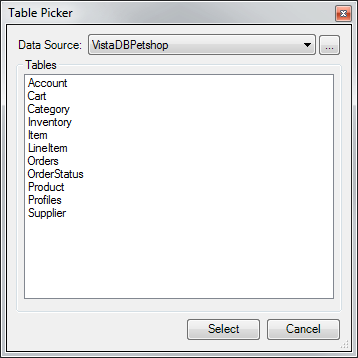
Both open the Table Picker:
Views
ViewSchema lets the user select a single view:
<%@ Property Name="SourceView" Type="SchemaExplorer.ViewSchema" Category="Database" Description="Select a view." %>
ViewSchemaCollection lets the user select a group of views:
<%@ Property Name="SourceViews" Type="SchemaExplorer.ViewSchemaCollection" Category="Database" Description="Select a set of views." %>
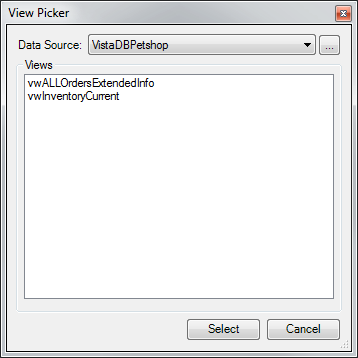
Both open the View Picker:
Commands
CommandSchema lets the user select a single command (stored procedure):
<%@ Property Name="SourceCommand" Type="SchemaExplorer.CommandSchema" Category="Database" Description="Select a command." %>
CommandSchemaCollection lets the user select a group of commands:
<%@ Property Name="SourceCommands" Type="SchemaExplorer.CommandSchemaCollection" Category="Database" Description="Select a set of commands." %>
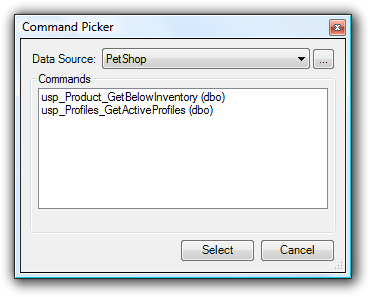
Both open the Command Picker:
Using functions
The command pickers can also list SQL functions and SQL CLR functions. To include them, add IncludeFunctions="True" to the Property directive:
<%@ Property Name="SourceCommand" Type="SchemaExplorer.CommandSchema" IncludeFunctions="True" Category="Database" Description="Select a command." %>
Note
You can use IncludeFunctions on any Property directive whose type derives from SchemaObjectBase, such as CommandSchema, CommandSchemaCollection or DatabaseSchema.
A stored procedure always has an int return value, but a scalar function can return any data type. To find out what kind of function a CommandSchema represents, check its extended properties. A CommandSchema may contain these:
| Extended property key | ExtendedPropertyNames field |
Description |
|---|---|---|
CS_IsCLR |
IsCLR |
An assembly (CLR) stored procedure |
CS_IsAggregateFunction |
IsAggregateFunction |
An aggregate function |
CS_IsScalarFunction |
IsScalarFunction |
A scalar function |
CS_IsTableValuedFunction |
IsTableValuedFunction |
A table-valued function |
CS_IsInlineTableValuedFunction |
IsInlineTableValuedFunction |
An inline table-valued function |
CS_IsMultiStatementTableValuedFunction |
IsMultiStatementTableValuedFunction |
A multi-statement table-valued function |
Columns
ColumnSchema lets the user select a single column:
<%@ Property Name="SourceColumn" Type="SchemaExplorer.ColumnSchema" Category="Database" Description="Select a column." %>
ColumnSchemaCollection lets the user select a group of columns:
<%@ Property Name="SourceColumns" Type="SchemaExplorer.ColumnSchemaCollection" Category="Database" Description="Select a set of columns." %>
Both open the Column Picker, which shows the columns of each table in a tree: