
Using Generator Project from Windows Explorer
You can control every part of a CodeSmith Generator project from File Explorer or Template Explorer, as well as from Visual Studio.
Creating a Generator project
In File Explorer, right-click in a folder and select New > CodeSmith Generator Project.
Managing and generating a project
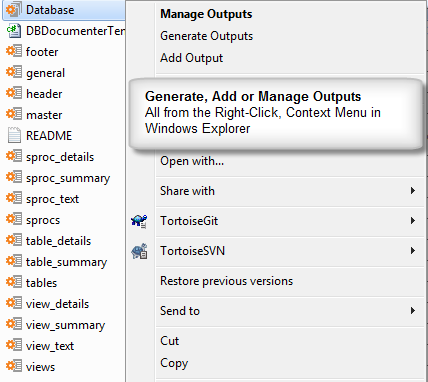
Right-click a project file (.csp) in File Explorer or Template Explorer to see the project commands:
| Command | What it does |
|---|---|
| Manage Outputs | Opens the Manage Outputs dialog. |
| Generate Outputs | Generates all of the outputs in the project. |
| Add Output | Adds a new output. See Adding and editing outputs. |
Generation progress
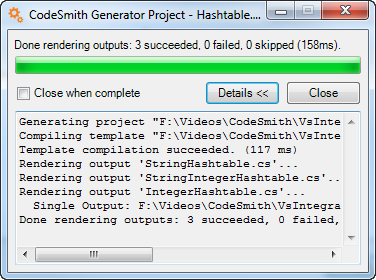
When you generate from File Explorer or Template Explorer, a progress window shows how the generation is going.
| Control | What it does |
|---|---|
| Details | Shows or hides detailed progress messages. |
| Close when complete | Closes the window automatically when generation finishes. |
| Close | Closes the window. |